 Fall Month: 2
  Night
Night  Hurricane Moon:
| Chatbox |
| snake |
| Havok yeah :c its something with the editor i believe. it shows properly in edit mode, then doesnt carry over i have the same issue testing it now. setting border width, color, and style on table properties does nothing but using the cell properties does it |
| Havok Strider |
| @snake The problem is that when I go and fix it... The lines are there, look -Click- |
| MoonBound |
| @lovrenee Here is the screenshot with "steps" showing you what to do. <3 -Click- |
| snake |
| Moon lmao, i usually struggle and somehow it works so if you select the entire table and use 'cell properties' you should be able to set the border width to 1px there and make the lines appear |
| MoonBound |
| @lovrenee Go to your wolves and where it says "View" click the drop box (I think thats what its called) and then click "Explore Settings" I will give a screenshot now... lemme get it... |
| snake |
| ahh, gotcha. i have those issues a lot too actually, let me think a second, i know how to fix it i think |
| Havok Strider |
| @snake The missing lines and how the text refuses to change colour to red... |
| MoonBound |
| Ooohhh crap. It's art again... I'm gonna have to carry on with my grid drawing 😭 |
| rotting |
| winter you could try taking one of the templates from the coloring book and using basic highlight tools and add arrows and description |
| Quests |
| Alliance Battles |
| Challenges |
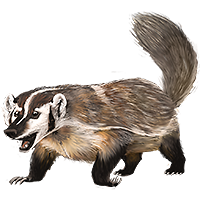
 | Mamba : -5 |
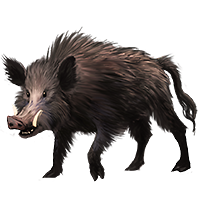
| Polar Bear : -4 |
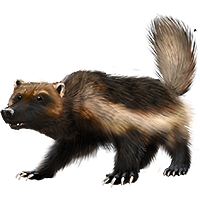
| Harpy Eagle : +4 |
| Chatbox |
| snake |
| Havok yeah :c its something with the editor i believe. it shows properly in edit mode, then doesnt carry over i have the same issue testing it now. setting border width, color, and style on table properties does nothing but using the cell properties does it |
| Havok Strider |
| @snake The problem is that when I go and fix it... The lines are there, look -Click- |
| MoonBound |
| @lovrenee Here is the screenshot with "steps" showing you what to do. <3 -Click- |
| snake |
| Moon lmao, i usually struggle and somehow it works so if you select the entire table and use 'cell properties' you should be able to set the border width to 1px there and make the lines appear |
| MoonBound |
| @lovrenee Go to your wolves and where it says "View" click the drop box (I think thats what its called) and then click "Explore Settings" I will give a screenshot now... lemme get it... |
| snake |
| ahh, gotcha. i have those issues a lot too actually, let me think a second, i know how to fix it i think |
| Havok Strider |
| @snake The missing lines and how the text refuses to change colour to red... |
| MoonBound |
| Ooohhh crap. It's art again... I'm gonna have to carry on with my grid drawing 😭 |
| rotting |
| winter you could try taking one of the templates from the coloring book and using basic highlight tools and add arrows and description |
| Painted Hills | ||
| |
| Tweet |

|
| ||||||
Wolf Number: 2858579 Gender: Male Age: Deceased Deathdate: Nov 2, 2020 Death Age: 17 Pack: The Heavens Breeder: High Hills Pack Weight: 140 Pounds Build: Muscular Fur Type: Long Generation: 40th Birthdate: Apr 27, 2020 Sire: Bandar Dam: Winter Willow Mood: Content Battle Experience: 227 Playfulness: Very High Birth Defect: None Boost: None Total Battle Earnings: 843 Total Mush Found: 215 Offspring Count: 8 Bred This Season: 0 Total Times Bred: 4 Affinity W/Your Pack: Excellent Talent: Stealth Perception Luck Battle Talent Count: 5Injury: None
|
| ||
Base Coat: Coyote (Common) Eyes: Green (Common) Nose: Pink (Common) Leg Type: Low Leg Color: None Muzzle Type: None Muzzle Color: Slate Piebald 3: White Speckle Type: None Speckle Color: Black |
| ||
|
| |||||||||||||||||||||||||||||||||||||||||||||||||||||||||||||||||||||||||||||||
Total Character Points: 508 |
| ||||||||||||||||||||||||||||||||
|



 Options